On this pageThe 2025 numbers
The short answer
Apple reviewed 9,100,620 app submissions in 2025 and rejected 2,093,244 of them. That's about 23 in every 100. The Performance section of the rules, home of crashes and half-finished apps, was cited 1,354,418 times, more than the other five sections combined. Apple says over 40% of unresolved issues come from one rule, guideline 2.1, App Completeness.
Apple turned away 2.09 million submissions in 2025
Every year Apple puts out an App Store Transparency Report. The 2025 report says App Review looked at 9,100,620 submissions and rejected 2,093,244. Mind the word submissions. Send the same app in three times and Apple counts three.
The report also splits rejections across the five sections of the App Review Guidelines, plus a small "Other" pile.
Rejections by section of the rules, 2025
How many rejections cited each section
Performance is miles ahead. It's the section with crashes, placeholder screens, demo logins that don't work and screenshots from a design you dropped two months ago. You can catch nearly all of it yourself with a release build and a fresh install.
Don't add the bars up. They come to more than 2,093,244 because a single submission can be rejected under more than one guideline. The report says so in a footnote.
The same report has a nicer number too. 387,087 submissions were approved after a rejection. Somebody read the message, fixed the thing and got through on the next try.
Three years of reports, side by side
Apple has published the same figures for 2023, 2024 and 2025, so you can compare them. The rejection rate is our own arithmetic, rejected divided by reviewed.
Submissions reviewed and rejected
Millions of submissions per year
| 2023 | 2024 | 2025 | |
|---|---|---|---|
| Submissions reviewed | 6,892,500 | 7,771,599 | 9,100,620 |
| Submissions rejected | 1,763,812 | 1,931,400 | 2,093,244 |
| Rejected, per 100 | 25.6 | 24.9 | 23.0 |
| Approved after a rejection | 277,923 | 295,109 | 387,087 |
| Performance | 1,132,613 | 1,235,471 | 1,354,418 |
| Legal | 420,914 | 445,696 | 495,673 |
| Design | 295,497 | 378,300 | 415,532 |
| Business | 192,884 | 209,845 | 283,820 |
| Safety | 103,629 | 116,105 | 151,159 |
| Other | 40,119 | 23,659 | 4,145 |
Submissions went up 32% in two years while the share rejected slipped from 25.6 to 23.0 per 100. So on paper, App Review isn't getting stricter.
Business is the line we'd keep an eye on. Rejections under it jumped 35% from 2024 to 2025, against 10% for Performance. That's the section with the in-app purchase and subscription rules, so if you're adding a paywall this year, it's the one most likely to bite. We wrote a separate guide to subscriptions that pass review.
And Performance has come first every single year. In 2025 it beat the other five sections put together, 1,354,418 to 1,350,329.
What each section covers
Performance (section 2)
The big one. It holds guideline 2.1, App Completeness, which is about crashes, placeholder content, missing demo accounts and servers that are switched off while the reviewer is trying your app. It also holds guideline 2.3, Accurate Metadata, which says your screenshots and description have to match what the app does, plus the hardware and software rules in 2.4 and 2.5.
Apple says that on average more than 40% of unresolved issues relate to 2.1 alone. We gave it a guide of its own.
Legal (section 5)
Mostly privacy. guideline 5.1.1 wants a privacy policy, purpose strings that say exactly why you need the camera or location, and account deletion inside the app if people can sign up inside the app. That last one is easy to miss. You build sign-up in the first week and nobody thinks about the other end until a reviewer asks. Section 5 also covers intellectual property, gambling and local laws.
Design (section 4)
The report's footnote says this means copycats, apps with minimum functionality and spam. In the guidelines that's guideline 4.1 Copycats, guideline 4.2 Minimum Functionality and guideline 4.3 Spam. 4.2 is what stops a website wrapped in a web view. 4.3 is what stops the same app going out under ten bundle IDs. The sign-in rules in guideline 4.8 live here as well.
Business (section 3)
How you charge. guideline 3.1.1 says anything you unlock inside the app has to be sold through in-app purchase, and guideline 3.1.2 has the rules for auto-renewing subscriptions.
Safety (section 1)
Objectionable content, apps for kids, apps that could get someone hurt, and apps where people post things. If your app has user content, guideline 1.2 asks for a way to report posts and block users.
The rejections Apple sees most, in its own words
Apple keeps a list of the issues it runs into most on its App Review page. Here it is in Apple's order, trimmed a little:
- Crashes and bugs. Submit only when the app is complete and ready to publish.
- Broken links. Every app needs a working link to user support with up-to-date contact details, and a link to its privacy policy.
- Placeholder content. Items still in progress can't be approved.
- Incomplete information. If features need a sign-in, give a valid demo account username and password.
- Privacy policy issues and unclear data access requests.
- Inaccurate screenshots that don't show what the app does.
- A substandard user interface.
- Web clippings, content aggregators or a collection of links.
- Repeated submission of similar apps, and copycats.
- Misleading users. The app must do what it says.
- Not enough lasting value, and an app submitted by the wrong company or person.
Most of that list is housekeeping. A support link that 404s, or a demo password that expired last Tuesday.
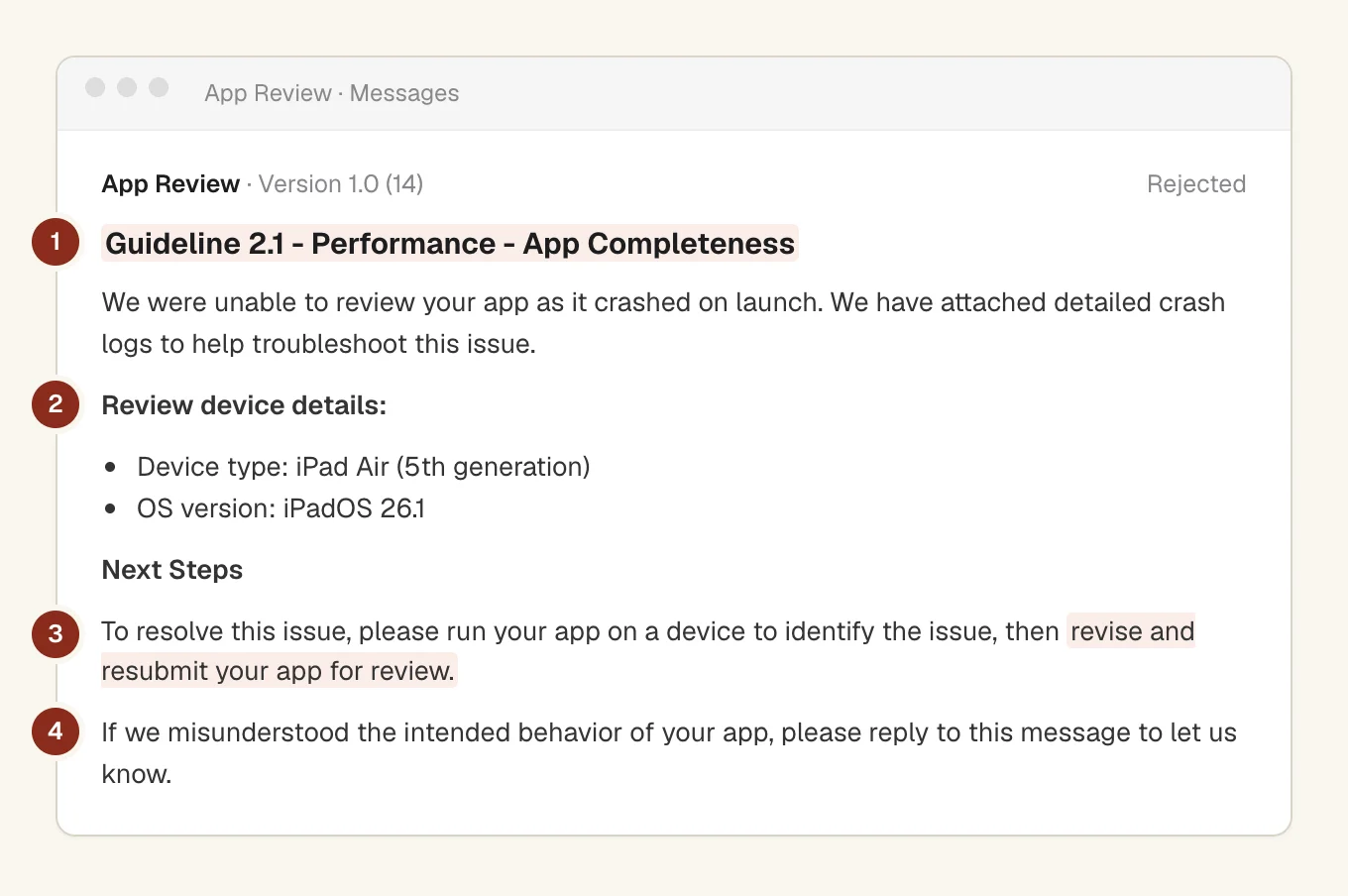
When it does go wrong, the message lands in App Store Connect and looks roughly like this. The guideline number at the top is the bit to read first.
What we check before pressing Submit
This is the routine we run on our own iPhone app. None of it is clever.
- Test the build you upload. Delete the app, install the exact build from TestFlight on a real phone, and tap every link once. Release builds break in ways your debug build never shows you. Apple's 2.1 asks you to test on-device for bugs and stability.
- Let the reviewer in. A demo account that still works on review day, notes for anything that isn't obvious, and your server switched on. Guideline 2.1 even says "turn on your back-end service!", exclamation mark included.
- Make the listing match the app. Real screens in your screenshots. Not a splash screen, and not the feature you plan to ship next month.
- Sort out privacy. A privacy policy link in App Store Connect and in the app, purpose strings that name the real reason, and account deletion in the app.
- Sell digital things through in-app purchase, with the price on screen and a way to restore purchases.
What caught us out anyway
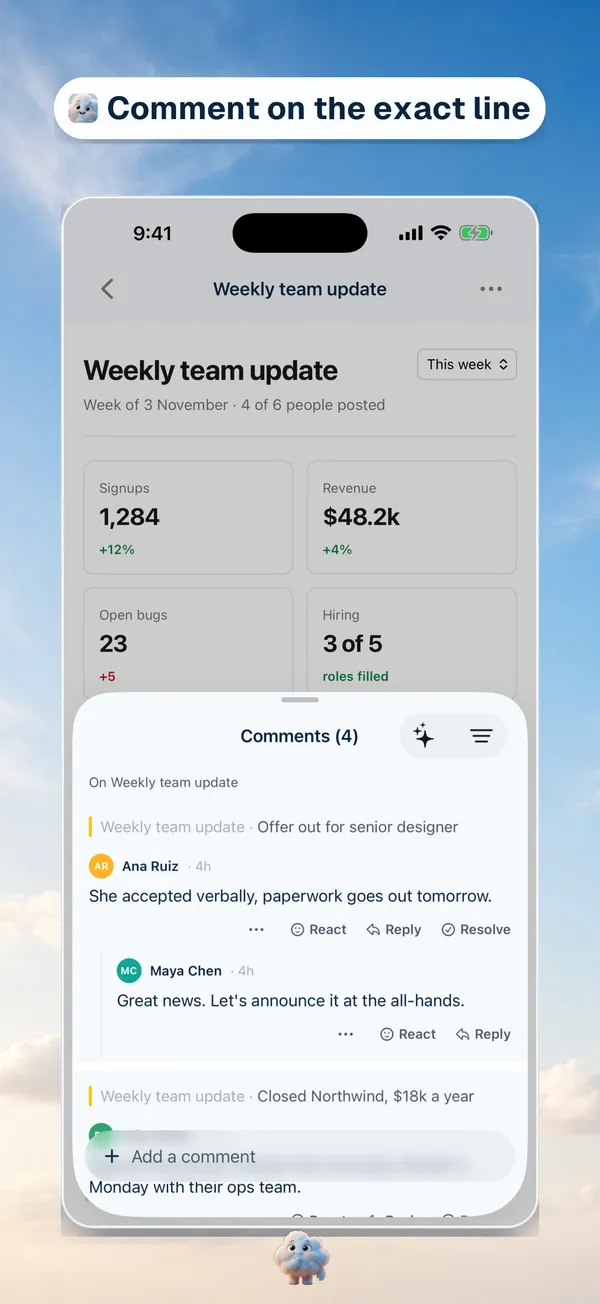
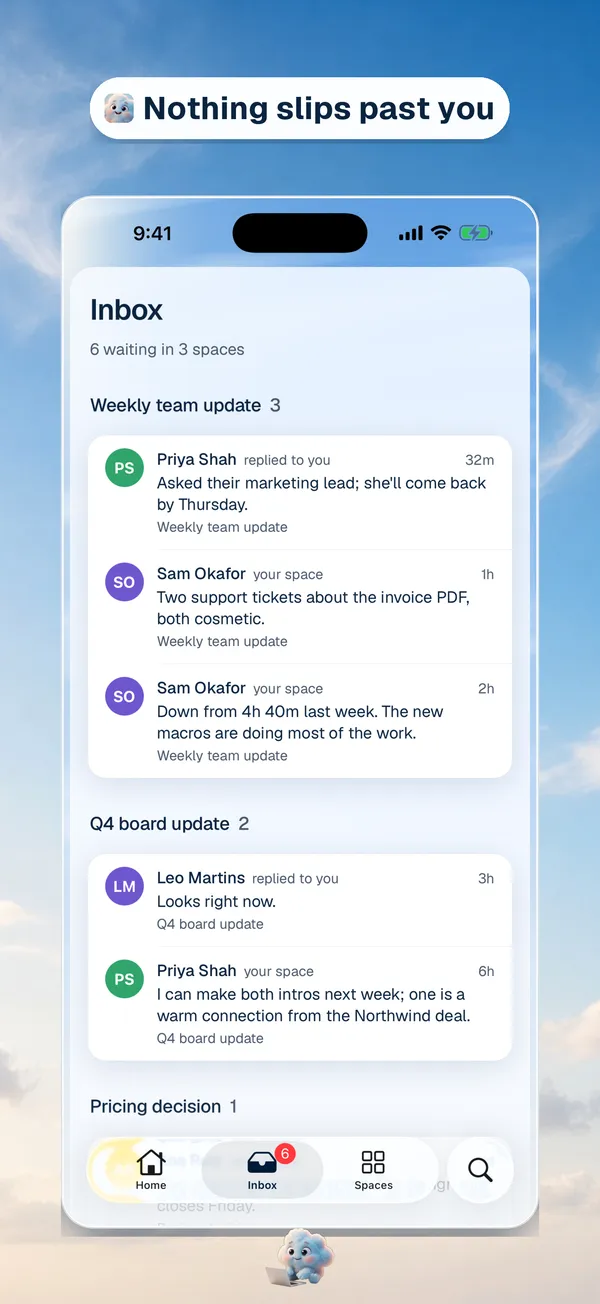
Setting up the first version of our own iPhone app, the review rules turned out to be the easy part. App Store Connect had its own ideas.
The name we wanted, Cloudy AI, was already taken, so the listing says useCloudy AI. We'd written release notes for 1.0, and App Store Connect refused them because the What's New field can't be edited on an app's first version. We push our listing from the terminal with the asc command line tool, and it applies a language's text in one go. So that single refused field blocked the whole update. We sent everything again without the release notes and saved them for 1.0.1.
Our App Store submission checklist has all of this as 79 steps you can tick off, each linked to the rule behind it.
What the report can't tell you
Apple counts rejections by section, never by individual rule. The report won't tell you how many were for 2.1 or for 5.1.1. The "over 40%" figure for 2.1 comes from Apple's App Review page, not from the report.
It counts submissions, not apps. An app rejected twice and then approved shows up as three submissions reviewed and two rejected. And because one submission can be rejected under several sections at once, the section totals overlap. You can't turn them into shares that add up to 100.
Questions people ask
What percentage of apps does Apple reject?
About 23 in every 100 submissions in 2025: 2,093,244 rejected out of 9,100,620 reviewed, according to Apple's transparency report. It was 25.6 in 2023 and 24.9 in 2024. These are submissions, so the same app can be counted more than once.
What is the most common reason for App Store rejection?
The Performance section of the rules, cited in 1,354,418 rejections in 2025. Within it, Apple says over 40% of unresolved issues relate to guideline 2.1, App Completeness, which covers crashes, placeholder content and missing information such as a demo account.
How long does App Review take?
Apple says it typically reviews at least 50% of submissions in less than 24 hours and 90% in less than 48 hours (App Review page). An incomplete submission can take longer or get rejected.
What should I do after a rejection?
Read the guideline number in the message, fix that issue, and submit again. In 2025, 387,087 submissions were approved after a rejection. If you think the reviewer got it wrong, reply to the message or appeal. Apple's App Review page explains how.
Where does this data come from?
From Apple's App Store Transparency Reports for 2023, 2024 and 2025, and from Apple's App Review page. We checked every figure against them on 11 November 2026.